
Practical guide
It's one in the morning. The last table has paid, the kitchen is clean, and someone has to balance the drawer before going home. They're in a hurry, and the system is showing them, in big numbers, how much should be in it.
That last detail hides more over-and-short problems than it seems. This guide gives the order of the end-of-day cash out in a bar or restaurant, explains the difference between the X and the Z report, and includes a table of what usually sits behind a drawer that doesn't balance.
Short answer: the end-of-day cash out goes in this order. First, close or carry over the open checks and settle the card batch. Then count the drawer without looking at what the system expects, and only then run the Z report and compare the numbers. If it doesn't balance, log the difference with its reason and look into it. A sale that's already rung up isn't touched: if a payment is wrong, it's fixed in the system with a refund and a new charge. The guest only gets money back if they paid too much.
Looking for the template? Download the restaurant cash-out sheet in Excel. It follows the order of this guide.
In 60 seconds
- The close starts in the morning. Without a float that was counted and recorded at opening, there's nothing to compare against at night.
- Money that goes in or out of the drawer without being a sale is recorded when it happens. That includes paying a supplier, coins added for change and card tips paid out in cash.
- The X report shows where the drawer stands without closing anything. The Z report closes the day.
- Before counting, no open checks, and the card batch settled.
- Count without seeing the number the system expects, by bills and coins.
- Expected cash is the float, plus cash sales (net of refunds paid in cash) and paid-ins, minus paid-outs and cash drops.
- If it doesn't balance, log it and look into it. Never change the count or delete a sale to make it match.
The words of the cash out
| Term | What it is | When |
|---|---|---|
| Opening float (starting bank) | The change the drawer opens with. It's counted and recorded at opening, and it isn't part of the day's sales | At opening and at close |
| X report | The state of the drawer with the shift open: sales by tender, refunds, paid-ins and paid-outs, and expected cash. It doesn't close anything | Whenever you need it, mid-service or at a shift change |
| Z report | The end-of-day close. It gives the day's totals and closes the shift | Once, at the end |
| Blind count | Counting the drawer without seeing what the system expects | At every shift change and at close |
| Batch settlement | Closing the card terminal's batch, with the card total since the last close | Before the Z report |
| Over or short | The difference between the count and expected cash | When you compare |
The end-of-day cash out, step by step
The first three steps happen during the day. The last four, at close.
1. Open with a counted, recorded float
Tonight's close starts this morning. Whoever opens counts the change in the drawer and records it in the system as the opening float, with their name and the time.
If the float isn't recorded, that money looks like sales at night, and the drawer comes out over by exactly the float. How much float to leave is up to each restaurant, depending on how much change it usually gives. What matters is that it's always counted and that it's recorded whenever it changes.
2. Record every paid-in and paid-out when it happens
The ice delivery gets paid $40 in cash. The owner adds $50 in coins for change. At the end of the shift, the tips left on cards are paid out from the drawer. None of that is a sale, and all of it changes what's in the drawer.
Recorded when it happens, with a reason, it balances at night. Recorded from memory at one in the morning, one gets missed. The same goes for cash drops: when the drawer holds too much cash and some of it goes to the safe, that's a drop, and it gets recorded.
Tips need one rule for the whole team. Either they go into the drawer and come out recorded, or they go into the tip jar and never touch the drawer. Mixing the two is what throws the count off.
3. Mid-day, run an X report and count at every shift change
The X report shows where the drawer stands without closing anything. It has sales by tender, refunds, paid-ins and paid-outs, and the cash that should be there. Use it to review voids, comps and discounts while the shift is still open and someone still remembers what happened with table 7.
When the person on the drawer changes, the handover includes a count. The outgoing person counts the drawer, compares it with expected cash and writes down anything that doesn't match. The incoming person starts with that money as their float. Without a counted handover, a 4 p.m. difference shows up at 1 a.m. and nobody knows which shift it belongs to.
4. Close or carry over the open checks
Before counting, no open checks. An unpaid check is money the system doesn't expect yet. And if someone took cash for it without ringing it through, that money shows up as an overage in the drawer.
If a check really stays unpaid, like the regular who'll settle up tomorrow, it goes on the cash-out sheet with its amount.
5. Settle the card batch
The card terminal keeps its own totals. Closing the batch gives the card total since the last close, and that total is compared with the card total in the system. Card is reconciled separately because it doesn't put any money in the drawer.
Some terminals close the batch on their own at a set time. Check what time yours does. If it closes at 11 p.m. and the last payment came in at midnight, that payment goes into tomorrow's batch, and the card total won't match two days in a row.
6. Count the drawer without looking at what the system expects
This is the step that gets skipped the most. Whoever already knows the system expects $470 tends to find $470. They recount whatever doesn't match until it does, or accept a small difference without looking for it. That's why you count first and look at the expected amount afterward. It's called a blind count.
Count everything in the drawer, the float included, by bills and coins, writing down how many of each, so you can recount one stack without starting over. Tomorrow's float is set aside after you compare, not before. If you can, have someone other than the person who ran the drawer check the count.
7. Run the Z report, compare and file
With the count written down, run the Z report and compare two pairs of numbers. For cash, the count against expected cash. For card, the batch against what the system says.
If both balance, set aside tomorrow's float, put the rest of the money away and file the Z report, the batch receipt and the cash-out sheet together. If either doesn't, log the difference, the reason if you know it, and who closed. What comes next is in what to do when the drawer doesn't balance.
Some guides run the Z report before counting. The order matters less than not having the number in front of you while you count.
The expected cash math
The system works out what should be in the drawer with simple math. It's worth being able to do it by hand, because it's what you go through when the drawer is off. Here's an example close, with round numbers.
| Amount | |
|---|---|
| Opening float | $200 |
| Plus the day's cash sales, net of refunds paid in cash | $790 |
| Plus paid-ins (the coins added for change) | $50 |
| Minus paid-outs (the ice, $40, and card tips paid out from the drawer, $30) | $70 |
| Minus the 6 p.m. cash drop to the safe | $500 |
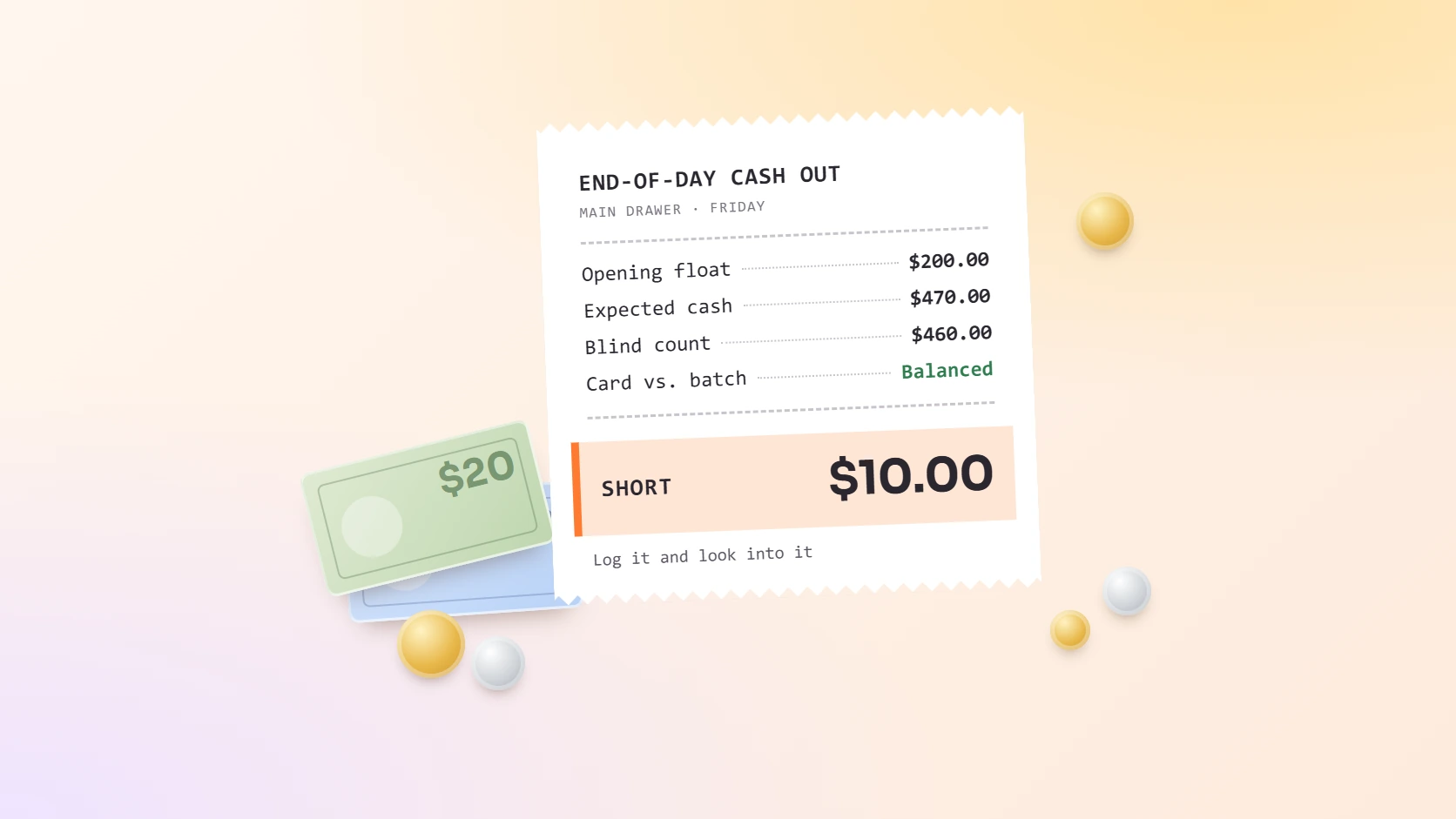
| Expected cash | $470 |
| Blind count | $460 |
| Difference | $10 short |
A check paid partly in cash and partly by card is split. The cash part counts in the drawer, and the card part, in the batch.
What to do when the drawer doesn't balance
Recount first. Two bills stuck together or a stack of coins added up wrong explain a lot of differences. If it still doesn't balance, log the difference as it is and look for the cause with this table. Sometimes it turns up that same night. Other times it's the next day, with the payment details in front of you and a rested team.
| What you see | Likely cause | What to check |
|---|---|---|
| Short or over by a round amount, like $5, $10, $20 or $50 | Wrong change, or a bill counted twice or missed | Recount that bill. Check the cash payments where change was given from a large bill |
| Cash is short by the same amount the card total is over, or the other way around | A payment rung up as the wrong tender | Find a payment for that amount and check on the card terminal how it was paid |
| Short by exactly a supplier payment, some change or a tip-out | A paid-out that wasn't recorded | Ask the team and look for the supplier's receipt or invoice |
| Over by the amount of a check or an item | A cash payment that never went through the system | Look for open checks, checks from other days and payments taken with the drawer closed |
| Short by the amount of a check | A check closed as paid in cash that was never paid, or a payment rung up twice | Check for repeated cash payments and the checks closed at the end of service |
| Over or short by exactly the float | The float wasn't recorded at opening, or it was recorded and not left in the drawer | Check the opening: who opened, with how much, and whether it was recorded |
| The system's card total doesn't match the batch | A payment run on the terminal and not in the system (or the other way around), a tip added only on the terminal, or a batch that closes itself at another time | Compare transaction by transaction and check what time the batch closes |
| A few cents or a couple of dollars short almost every day | Rounded change when small coins run out | Open with enough small change, and log it anyway to see if it grows |
| The difference always shows up on the same shift or with the same person | A shift with no routine, or something more serious | Count at every shift change and review that shift's voids, comps and refunds |
An overage gets the same search as a shortage. It's usually a payment rung up as the wrong tender, or a customer who got too little change.
What not to do with an over or short drawer
- Don't change the count so it says the drawer balanced. A drawer that's forced to balance stops warning you.
- Don't delete or edit a sale that's already rung up. If an amount is wrong, fix it with a new transaction, such as a refund and a new charge, so both stay visible. The refund is an entry in the system. The guest only gets money back if they paid too much, and if only the payment method was rung up wrong, they get nothing back. Deleting or rewriting a sale hides the mistake along with the record of what happened.
- Don't add or take money from your own pocket to even it out. It covers up the cause, and the next day starts with a false number.
- A shortage gets logged and looked into. If it keeps happening with the same person, that's an HR and employment matter, and it's worth talking to your advisor before doing anything.
How much of a difference is normal?
Each restaurant sets its own margin. What helps is setting it, writing it down and making sure the whole team knows it. Below it, log the difference and move on. Above it, recount and review it that same night.
The month matters more than any single day. A drawer that comes up $3 short almost every day loses about $90 a month, and that's worth tracking down. That's why the cash-out sheet comes with an over-short log, one day per row.
Why the Z report isn't enough
The Z report counts what the system thinks came in. If a card payment was rung up as cash, the Z report repeats it as is. If someone took payment for a check without ringing it through, the Z report never finds out.
The cash out compares three totals worked out separately: the drawer, the card batch and the system. The Z report is just one of them.
Download the cash-out sheet
Download the template. Restaurant cash-out sheet, in Excel. It opens in Excel, Google Sheets or Numbers, and each tab prints on one page.
- Cash-out sheet follows the order of this guide. First the drawer count by bills and coins, then what the system says, and last the cash and card differences, with a note.
- Over-short log keeps one day per row, to see the month at a glance.
- What to check has the table of causes, to keep next to the register.
- Example has this guide's close already filled in.
How Plattio does it
Plattio is restaurant management software that brings reservations, orders, payments and the cash drawer into one system. The drawer lives inside the POS, so table payments reach it without being keyed in by hand, and the screen follows the order of this guide.
- The drawer opens with a float, and every cash in, cash out or bank drop is logged as a shift movement, with its time, its reason and who made it.
- The X report downloads as a PDF or prints on an 80 mm receipt with the shift open, and it warns that it isn't a final count.
- The shift handover closes the shift with what was counted and opens the next one with that same money as its float. If the count doesn't match what was expected, it asks for a note before closing.
- The end-of-day close asks you to count the drawer before you see the expected amount, and the report lands in your inbox.
- The history keeps every close with the count, whether it balanced, and its report.
- A recorded payment is never rewritten. If the amount is wrong, it's fixed with a refund and a new charge, and both stay visible.
How this guide was made
The order of the cash out comes from the nightly routine behind the bar and on the floor. It's also the order Plattio's drawer follows, which asks you to count the drawer before you see the expected amount.
The amounts in the example close are made up and rounded. This is a guide to running the drawer, not tax, accounting or employment advice.
About the author
Carlos Bergara
Operations and reservations specialist for restaurants
Carlos Bergara writes about operations, reservations and the numbers of bars and restaurants on the Plattio blog. His articles start from what the team sees at the bar, on the floor and at the register, and from the guides behind it, with steps any restaurant can use that same night.
Frequently asked questions
How do you cash out a restaurant at the end of the night?
In this order. Close or carry over the open checks, settle the card batch, count the drawer without looking at what the system expects, and only then run the Z report and compare: the count against expected cash, and the card batch against the system's card total. If it doesn't balance, log the difference with its reason and look into it. Earlier in the day, you need a recorded opening float and every paid-in and paid-out logged when it happens.
What's the difference between an X report and a Z report?
The X report shows the state of the drawer with the shift still open: sales by tender, refunds, paid-ins and paid-outs, and expected cash. It doesn't close anything, so you can run it as often as you need, mid-service or at a shift change. The Z report is the end-of-day close: it gives the day's totals and closes the shift. You run it once, at the end, after counting the drawer.
What should I do if the cash drawer is short or over?
Recount first. If it still doesn't balance, log the difference as it is, with who closed and the reason if you know it, and look for the cause. The most common ones are a payment rung up as the wrong tender (cash is short by what the card total is over), a paid-out nobody recorded, wrong change, a cash payment that never went through the system and a float that wasn't recorded at opening. Never change the count or delete a sale to make it balance.
What is a blind count, and why do it?
A blind count means counting the drawer without seeing the total the system expects. Whoever already knows the number tends to find it: they recount whatever doesn't match until it does, or accept a small difference without looking for it. Counting first and checking the expected amount afterward makes the count say what is really in the drawer.
When should I settle the card batch?
Before running the Z report, so the batch and the cash out cover the same hours. Some terminals close the batch on their own at a set time: if yours does it at 11 p.m. and the last payment came in at midnight, that payment goes into tomorrow's batch and the card total won't match two days in a row.
Can I delete or edit a sale to make the drawer balance?
You shouldn't. Deleting or editing a sale that has already been rung up hides the mistake along with the record of what happened. If an amount is wrong, fix it with a new transaction, such as a refund and a new charge, so both stay visible, and log the variance. The refund is an entry in the system. The guest only gets money back if they paid too much, and if only the payment method was wrong, they get nothing back.
What goes on a cash-out sheet?
The date, who counted and who checked; the drawer count by bills and coins; the opening float, cash sales, paid-ins, paid-outs and cash drops; expected cash and the difference with the count; the system's card total against the batch total; any open checks carried over; and a note with the reason for any difference.
Keep exploring the cluster
Related articles
Operations
How to manage a restaurant waitlist without losing tables
An operational guide with a protocol, template, metrics, and criteria to manage a restaurant waitlist without losing tables or breaking your reservation logic.
Operations
Restaurant rush-hour operations without bottlenecks
A practical guide to organizing restaurant rush-hour operations with clear roles, fewer bottlenecks, and a smoother service pace.
Marketing
How to Get Your Restaurant Recommended by ChatGPT (and Found on Google)
83% of restaurants are invisible in ChatGPT. A no-fluff technical guide to getting found on Google and recommended by AI: a consistent NAP, Bing Places, schema.org, an HTML menu, reviews, and a 10-minute audit with 5 prompts.